Monitor domain expiration using Zabbix
It is very important to monitor multiple domain expiration dates when working for a big company. It is more useful when working with multiple registrars, even if you don’t have access to these registrars accounts.
This approach uses a Zabbix template with discovery rules to make whois queries and parse answers. You can receive expiration alerts via Email, if configured in Zabbix.
Link to the github project: https://github.com/rafael747/Zabbix-Domain-Check
Instructions
- Log in to the Zabbix server
- Clone the repository
|
|
- Copy domaindiscover.pl to /etc/zabbix/
cp domaindiscover.pl /etc/zabbix/
- Create /etc/zabbix/domain.list with domain list, one per line
|
|
- Copy zabbix_agentd.d/domain_check.conf to /etc/zabbix/zabbix_agentd.d/
cp zabbix_agentd.d/domain_check.conf /etc/zabbix/zabbix_agentd.d/
- Copy domain-check.sh to zabbix externalscripts (/usr/lib/zabbix/externalscripts)
cp domain-check.sh /usr/lib/zabbix/externalscripts/
- Create directory /var/cache/zabbix/domain.db on zabbix server
mkdir -p /var/cache/zabbix/domain.db
- Edit the necessary parameters in domain-check.sh script.
|
|
- Import zbx_templates/Template Domain check.xml into your templates
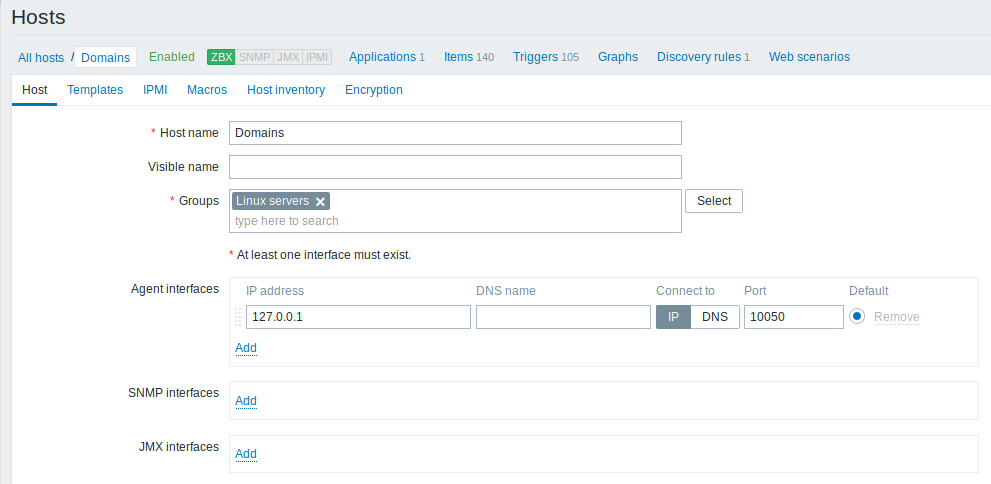
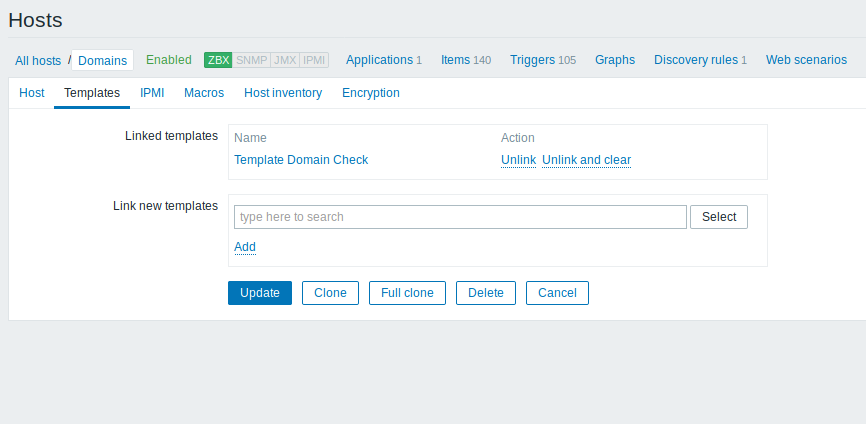
- Create host Domains (ip 127.0.0.1) and applay template Domain check on it.
- Create crontab rule:
0 0 * * * /usr/lib/zabbix/externalscripts/domain-check.sh -z 2>&1 > /dev/null
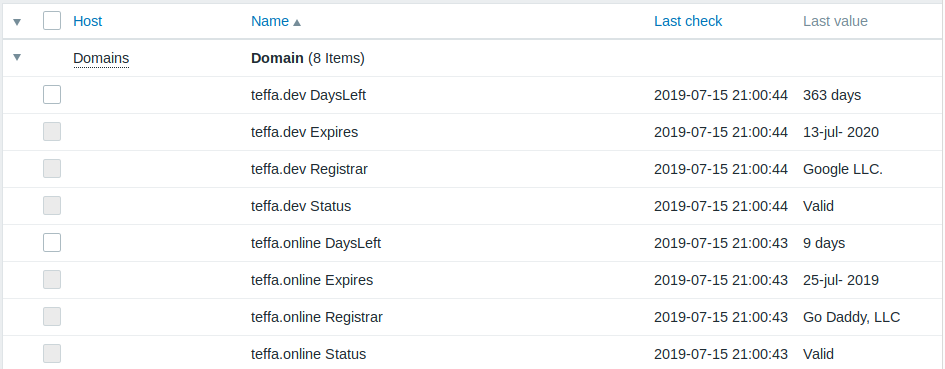
Latest Data
Problems

Trigger
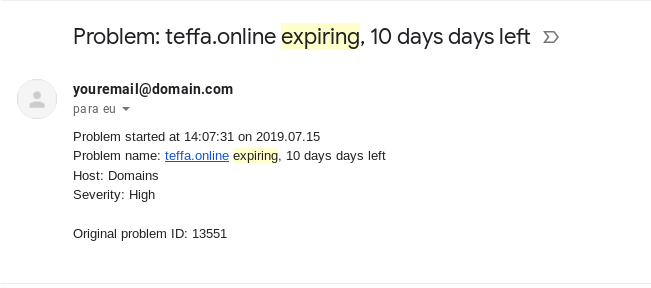
- You can receive alerts via email, if configured in Zabbix
- To add new domain, just edit the /etc/zabbix/domain.list. The cronjob and the discovery rule will do the rest.